How to Merge PDF Files on Android (Free, No Upload)
Combine several PDFs into one on an Android phone: a free on-device app, Google Drive workarounds and web tools, plus how to fix page order afterwards.
To merge PDF files on Android, open a PDF app with a Merge tool, select the files in the order you want them, and save the combined PDF. Android has no built-in merge, and Google Drive cannot do it either, so you need either an app or a website. An on-device app is the better choice for anything personal, because a website uploads every file you merge.
The usual reason is a form that takes one upload: application, ID proof and marksheets as a single PDF. Here is how to do it, and how to fix the page order when it comes out wrong.
Merge PDFs on your phone with a free app
With PDF Maker, merging is free and unlimited, and it happens on the phone:
- Tap Merge on the home screen.
- Select two or more PDFs. Tap them in the order they should appear: the first one you tap becomes the first pages of the merged file.
- Wait a moment. The app joins the files and saves Merged.pdf, then opens it so you can check it.
- Rename, save to Downloads or share from the result screen.
You can also start from a file you already have in the app: in the Files tab, open its menu and tap Merge with… to add the others to it.
The merge keeps the original pages exactly as they were. Text stays selectable, links still work and nothing is re-compressed, so the merged file is roughly the size of the parts added together.
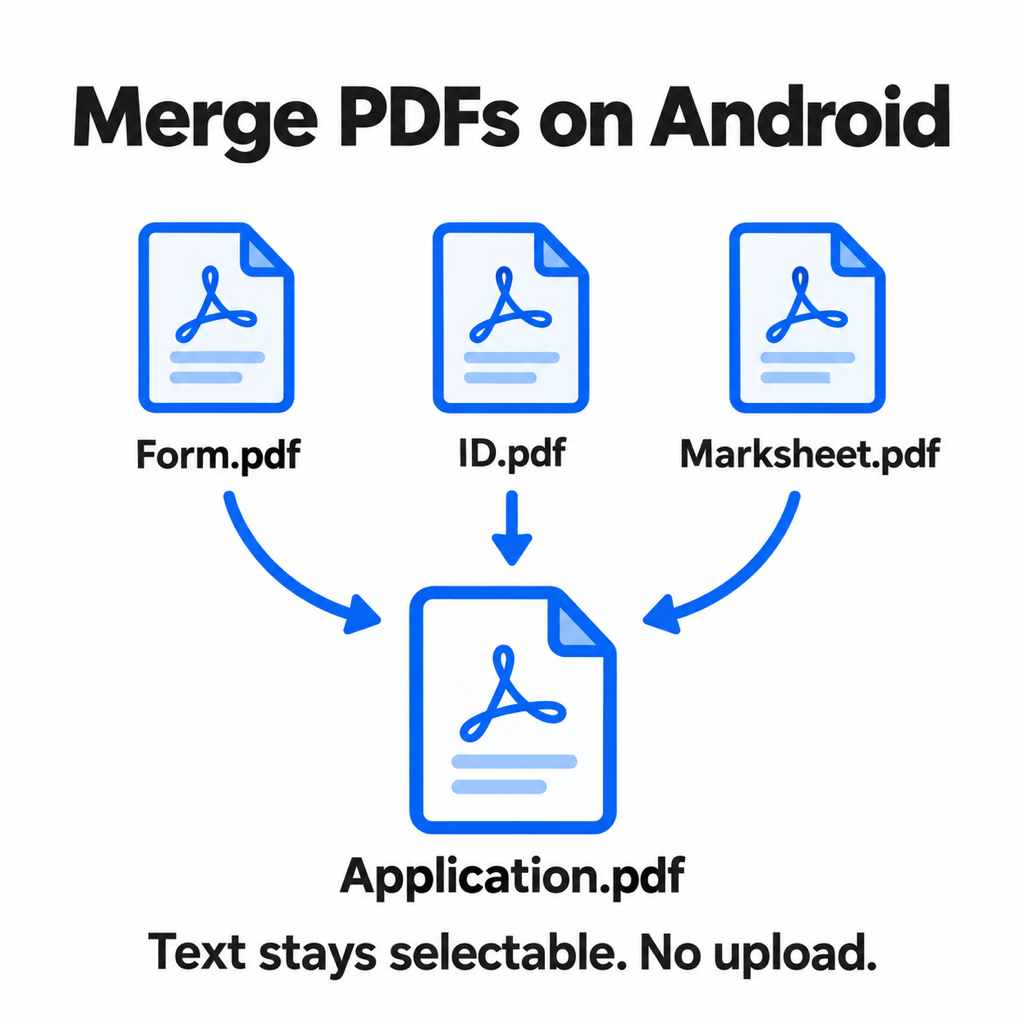
What order should an application PDF be in?
When a portal wants "all documents in one PDF" and gives no order, reviewers expect roughly this:
- The application form or cover letter, signed.
- Identity proof: Aadhaar, passport or driving licence, front then back.
- Qualifications in date order, oldest first: 10th, 12th, degree.
- Supporting certificates: category, income, domicile, experience letters.
- Anything the form lists as optional, last.
If the instructions give an order, follow theirs instead. A reviewer who has to hunt for your marksheet is not a happy reviewer.
Pages in the wrong order? Fix them after merging
If the order came out wrong, or there is a blank page in the middle, open the merged PDF with Edit pages. You can drag pages into a new order, rotate a sideways scan and delete pages you do not need, then save. It is quicker than merging again.
Merging photos with PDFs
Merge works on PDFs. If one of the pieces is a photo, say a picture of your ID card, turn it into a PDF first with Image to PDF (the photos to PDF guide covers that), then merge it with the rest.
Too big after merging?
Three scanned documents can easily add up to more than a portal allows. Run the merged file through Compress and set the limit the form asks for: presets go from 200 KB to 5 MB, and you can enter any custom size. See how to compress a PDF to 200 KB for how many pages fit at each size. Exact-size compression is a Pro tool with three free tries per install.
Other ways to merge PDFs on Android
- Websites (iLovePDF, Smallpdf, Adobe online). Work in Chrome with nothing to install. Every file is uploaded to their servers, free tiers limit file sizes and daily tasks, and it is slow on mobile data.
- Adobe Acrobat Reader or Microsoft 365. Both can combine PDFs on Android, but it is a paid feature in each: Acrobat needs a subscription, and Microsoft lists Merge PDFs as a Microsoft 365 premium feature.
- Google Drive. Drive can store and preview PDFs but has no merge button. Merging "in Drive" means a third-party web add-on, which again uploads your files.
Common questions
Can I merge PDF files on Android without an app?
Only with a website like iLovePDF in Chrome, which uploads your files to its servers. Android and Google Drive have no built-in merge.
How do I merge PDF files on a Samsung phone?
Samsung's My Files app cannot merge PDFs. Use a PDF app with a Merge tool: select the PDFs in order and save the combined file. The steps are the same on any Android phone.
Is merging PDFs free?
In PDF Maker, yes, with no limit on how many times. Adobe and Microsoft charge for it on mobile, and free websites cap file size or tasks per day.
Does merging reduce quality?
No. A proper merge copies the pages as they are. Quality only changes if you compress the merged file afterwards.
The short version
Pick the PDFs in order, merge, fix any page order with Edit pages, and compress only if the result is over the limit. PDF Maker does all three on the phone, and merging is free. If the bundle needs a signature too, see how to sign a PDF on Android.
From the studio
Previous Article
How to Make PDF of Photos in Mobile (Multiple Photos, One PDF)
Next Article
How to Remove Password from Aadhaar PDF (Password Format Explained)