How to Compress PDF in Mobile (Android, Free)
Three ways to compress a PDF on an Android phone: a browser tool, a big PDF suite, or an on-device app that hits an exact size. Steps, limits, privacy.
To compress a PDF in mobile, open it in a compressor app or a browser-based tool, choose either a quality level or a target size, and save the smaller copy. On Android, the fastest route that does not upload your file is an on-device PDF app; the quickest route with nothing to install is a website such as iLovePDF in Chrome. Which one is right depends on whether you just want "smaller" or need a specific size like 200 KB or 2 MB.
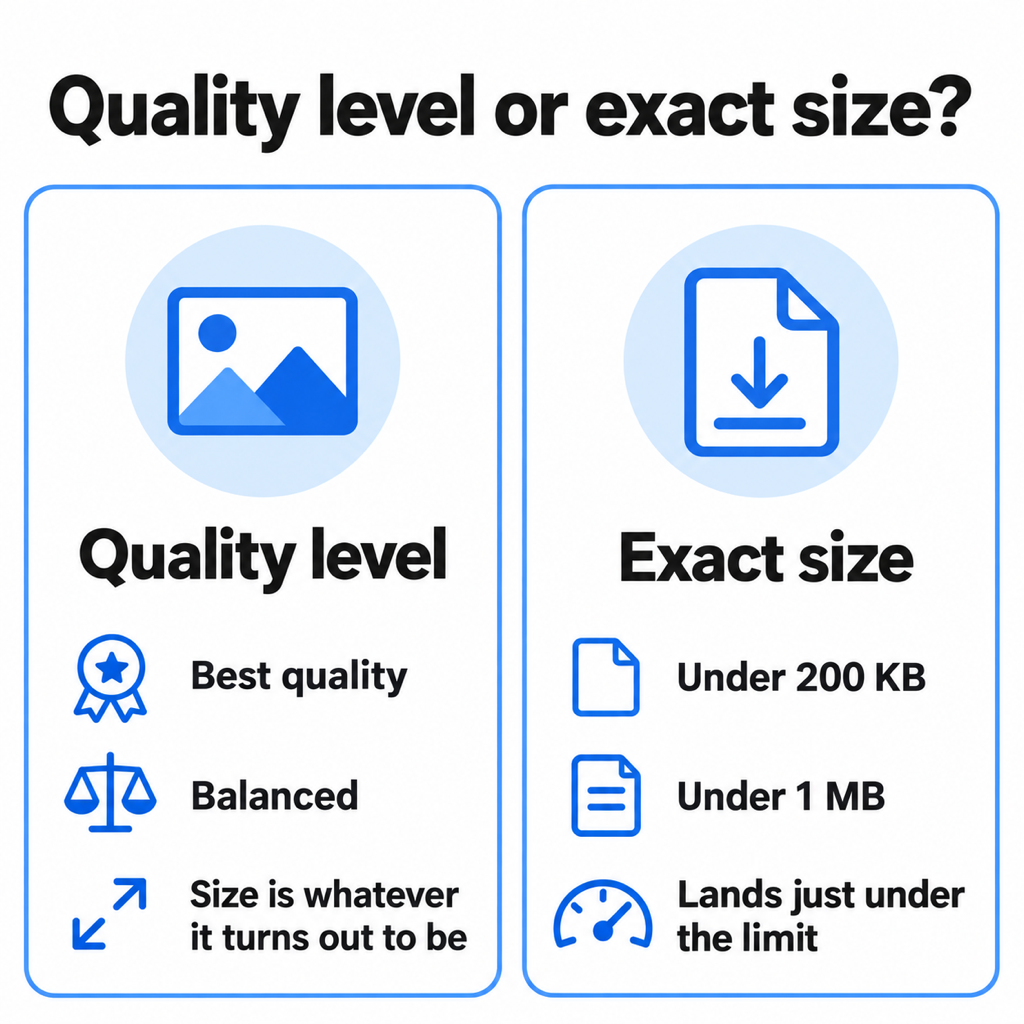
First: do you need "smaller" or an exact size?
This decides the tool. If you are emailing a 25 MB scan and anything under 10 MB will do, any compressor works. If a portal says "maximum 200 KB" or "under 2 MB", a quality level is guesswork. You need a tool that takes the number and lands just under it.
Option 1: a website in your phone's browser
iLovePDF, Smallpdf and Adobe's online compressor all work in Chrome on Android:
- Open the site's Compress PDF page and tap Select PDF file.
- Pick the file from Downloads, Drive or WhatsApp's folder.
- Choose a compression level and tap Compress.
- Download the result; it lands in Downloads.
Good for: a one-off, nothing to install. Watch out for: the file is uploaded to their server, free tiers cap file size or daily uses, and most only offer levels, not a target. On mobile data a 30 MB upload is also slow and costs data twice (up and back down).
Option 2: a full PDF suite
Adobe Acrobat Reader, WPS Office and Xodo have compress tools inside their Android apps. They are capable, but compression is often behind a subscription or an account sign-in, and the apps are large for a job you do twice a month. If you already pay for one, use it.
Option 3: an on-device compressor with exact sizes
This is the gap PDF Maker fills. It compresses on the phone itself, so nothing is uploaded and it works without a connection:
- Tap Compress on the home screen and pick the PDF. PDFs shared from another app (WhatsApp, Gmail) can be opened straight into it.
- Pick the outcome you need. Best quality and Balanced shrink by a fixed amount and are free and unlimited. For a hard limit, choose a preset (under 200 KB, 500 KB, 1 MB, 2 MB or 5 MB) or type your own in KB or MB.
- Let it work out the settings. For a size target it tries resolutions and quality levels, measures the real file, and keeps the highest quality that fits. If the target is unrealistic for the page count, it tells you before starting and suggests the next size up.
- Save or share. The result screen shows the exact final size; save it to Downloads or share it on.
Exact-size targets are a Pro tool, with three free tries on every install so you can check it works for your file first.
What compression does to a PDF
Most of a PDF's weight is images: scanned pages, photos, logos. Compression shrinks them by lowering resolution and JPEG quality. Text-only PDFs exported from Word are usually already small, which is why "compressing" them barely moves the number.
To hit a hard limit, an exact-size compressor rebuilds every page as an image at the chosen quality. That means text in the compressed copy can no longer be selected or searched. For a form or certificate you are uploading, that is fine. For a long report someone will copy from, use a quality level or keep the original.
Getting a smaller file without losing quality
- Remove pages you do not need before compressing. Fewer pages means more bytes for each one.
- Crop to the paper if the pages are phone photos. Backgrounds cost bytes and add nothing.
- Use black and white for text pages. It is smaller and usually sharper than a grey colour photo of a white page.
- Compress once, from the original. Each recompression adds blur; start from the first scan, not a copy that WhatsApp has already squeezed.
Common questions
How do I compress a PDF on my phone for free?
Use a browser tool like iLovePDF in Chrome, or an app with free compression. PDF Maker's quality presets are free and unlimited, and it gives three free exact-size compressions per install.
How do I reduce PDF size in KB on mobile?
Choose a tool with a target size in KB. In PDF Maker, open Compress, tap Custom limit, switch to KB and enter the number your form asks for, such as 150 or 300.
Can I compress a PDF on Samsung without an app?
Samsung phones do not have a built-in PDF compressor. Without installing anything, use a website in Samsung Internet or Chrome; it will upload the file to do the work.
Does compressing a PDF reduce quality?
For scans and photos, yes, a little. The goal is loss you cannot see. A good compressor that aims just under your limit, rather than far below it, keeps as much sharpness as the limit allows.
The short version
For "smaller", any tool will do. For an exact limit, use one that takes the number. If you do this on Android regularly, PDF Maker does both on the phone with no upload. For the two most common limits, see compress PDF to 200 KB and compress PDF to 100 KB.
From the studio
Previous Article
How to Compress PDF to 100KB (Free, on Your Phone)
Next Article
How to Make PDF of Photos in Mobile (Multiple Photos, One PDF)