Quick Share on Mac: How to Send Files from Android (and Samsung) to a MacBook
Google has no Quick Share app for macOS. Here is what works instead to send files between an Android or Samsung phone and a Mac, in both directions.
You tap Share on your Samsung or Pixel, open Quick Share, and your MacBook isn't there. It never will be: Google makes Quick Share for Android, Chromebooks and Windows, but there is no Quick Share for Mac, and searching for a "Quick Share Mac download" leads mostly to unofficial projects.
You can still get the same experience, a share sheet that sends to your Mac in a tap. Here's how.
Why there's no Quick Share on macOS
Quick Share is Google's and Samsung's sharing system. Apple's equivalent is AirDrop, and the two have mostly lived in separate worlds. Google has started bridging them on its newest Pixel phones, which can now share with AirDrop, but that covers only those phones, and on the Apple side it needs AirDrop opened up to Everyone for 10 Minutes. For a Galaxy, an older Pixel or any other Android phone, you need something that runs on both sides.
Option 1: Beam, a share sheet that includes your Mac
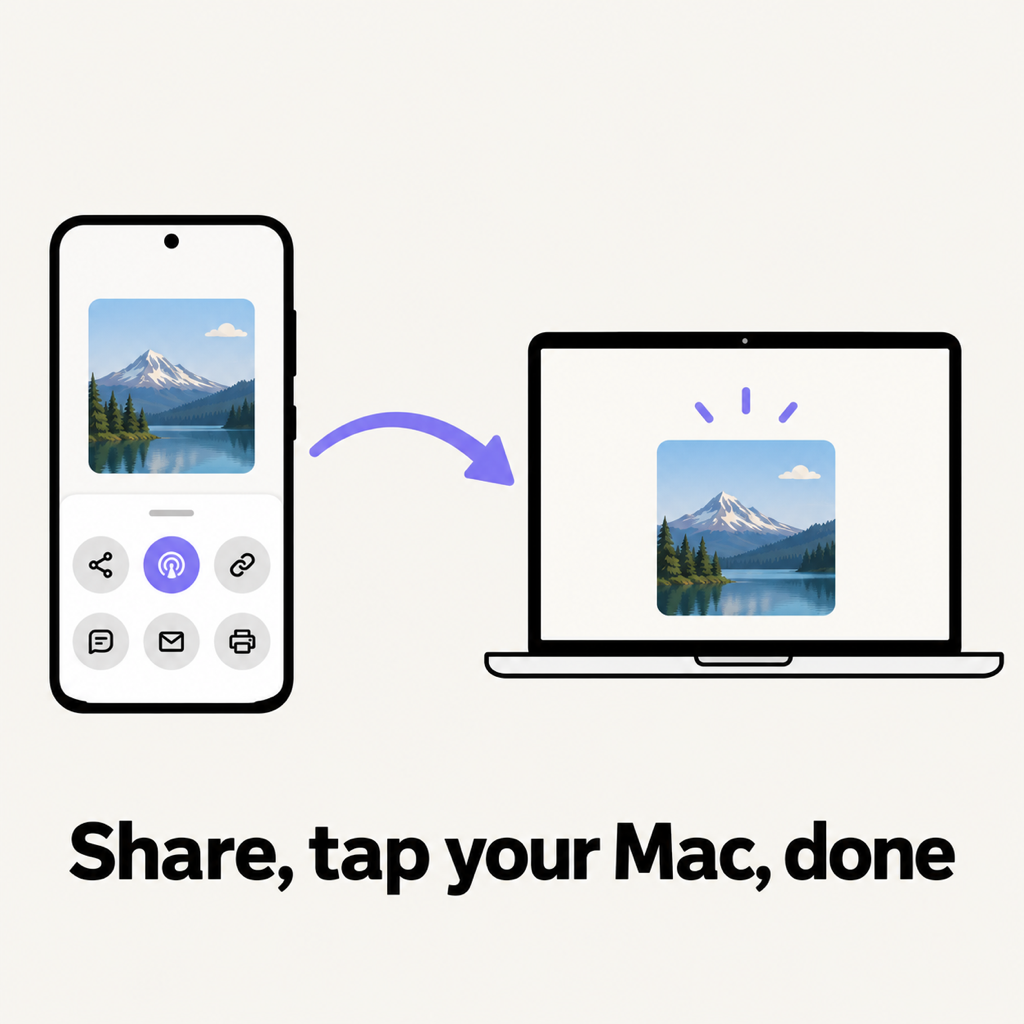
Beam is our free app for Android, Mac, Windows and iPhone. On Android it sits in the share sheet right next to Quick Share, and on the Mac it lives in the menu bar, always ready to receive.
- Install: Beam on Google Play for the phone, and the Mac app from beam.riekapps.com (macOS 14 or later, Apple silicon and Intel).
- Same Wi-Fi: the phone and the Mac find each other in seconds. No account, no pairing code, no Bluetooth needed.
- Send: in Gallery, Google Photos, My Files or any app, tap Share, then Send with Beam, then your Mac.
- Accept once: the first time, the Mac asks. Tick "Always accept" and your phone's files arrive without a prompt from then on.
It goes the other way too: in Finder, choose Share › Beam, or drop a file on the menu bar icon, and tap your phone. Android saves it in Downloads/Beam and shows a notification, even if Beam isn't open.
Like Quick Share, the file never goes to the cloud. Unlike a chat app, it isn't compressed: a 50 MB RAW photo or a 4 GB 4K video arrives as the same file, checked against a SHA-256 hash and encrypted on the way.
Option 2: Unofficial Quick Share clients
A few open-source projects re-create Google's protocol on the Mac, typically receive-only or with limited sending. They can work, but they're community projects chasing a protocol Google can change, so expect rough edges and read what you're installing first.
Option 3: A cable or the cloud
Still valid for bulk moves: OpenMTP over a USB data cable, or Google Drive and Google Photos. We cover both in how to transfer files from Android to Mac.
Common questions
Does Quick Share work on a Mac?
There is no official Quick Share app for macOS. Google's newest Pixel phones can share with AirDrop, and every other Android phone needs a cross-platform app such as Beam.
How do I Quick Share from Samsung to MacBook?
Install a cross-platform sharing app on both, put them on the same Wi-Fi, and use the phone's share sheet. With Beam, tap Share, Send with Beam, then your MacBook.
Can I send files from Mac to Android wirelessly?
Yes. With Beam on both, share from Finder or drop the file on the Beam icon in the menu bar and pick your phone.
The short version
Quick Share stops at the Mac. For the same tap-and-it's-there experience between any Android phone and a MacBook, use Beam. It also covers Windows and iPhone; see AirDrop alternatives for every device.
From the studio
Previous Article
AirDrop for Windows and Android: The Alternatives That Actually Work
Next Article
How to Send Large Video Files Without Losing Quality (Phone, Mac & PC)