AirDrop for Windows and Android: The Alternatives That Actually Work
There is no AirDrop for Windows or Android. These AirDrop alternatives send files between iPhone, Android, Mac and Windows PCs, compared honestly.
AirDrop is the thing people miss most when they have one foot outside Apple's world. Tap, the photo's there, no cable, no upload. But Apple has never made AirDrop for Windows or for Android, and there's nothing to download that adds it. What you can get is the same experience from apps that run on every platform.
Here are the options, what each one covers, and where each falls short.
What an AirDrop alternative needs to do
AirDrop works because it's invisible: it finds nearby devices by itself, sends the original file at full quality, doesn't care how big it is, and doesn't send anything through a server. A real alternative should do the same, and it should work between any two of your devices, not just some pairs.
1. Quick Share (Android and Windows)
Google's Quick Share is the closest thing Android has to AirDrop, and Samsung phones use the same system. Google also makes a Quick Share app for Windows. Between an Android phone and a Windows PC, or two Android phones, it's built in and quick.
It doesn't cover Mac (no macOS app) or iPhone, with one recent exception: Google has started making Quick Share talk to AirDrop on its newest Pixel phones. It also relies on Bluetooth for discovery, so desktop PCs without Bluetooth can't join.
2. Browser-based sharing (PairDrop, Snapdrop and similar)
Open the same web page on two devices on the same network and they can send files to each other through the browser. Nothing to install, which is great on a borrowed computer. The downsides: both devices have to have the page open in the foreground, big files are at the mercy of the browser tab staying alive, and there's no "always ready to receive".
3. LocalSend
LocalSend is a free, open-source app for Windows, Mac, Linux, Android and iOS that sends files over the local network. It's a solid project, it covers every pair, and if you want open source it's a good pick. It leans toward a utility feel, with more settings and options than most people need for a quick send.
4. Beam
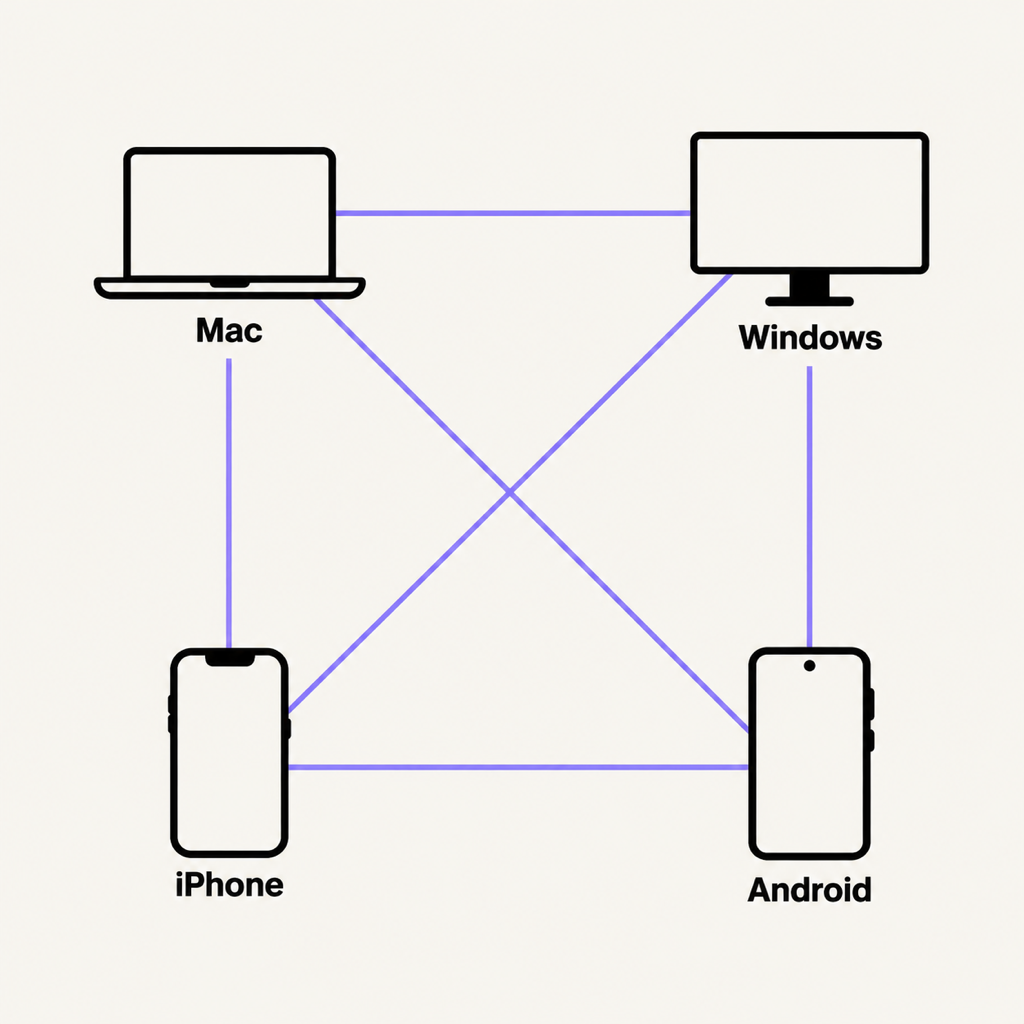
Beam is our take: one app on Mac, Windows, iPhone and Android, built to feel like AirDrop between all of them. Open the share sheet, tap a device, done.
- Every pair, both ways: iPhone to Windows, Android to Mac, Mac to Windows, iPhone to Android, and back.
- Where it lives: the Mac's menu bar, the Windows system tray (with Send to › Beam on the right-click menu), and Android's share sheet as Send with Beam. On iPhone, pick from Photos or Files in the app.
- No server, no account: devices find each other on your Wi-Fi and the file goes straight across. Nothing to sign in to, no analytics.
- Encrypted and verified: each transfer is encrypted with keys made for that transfer alone, both devices prove who they are first, and every file is checked against a SHA-256 hash before it's saved.
- Big files: no size limit, no compression, and a 4 GB video that's interrupted resumes where it stopped.
- Trusted devices: accept your own phone once and it never has to ask again.
The honest limits: the iPhone has to have Beam open to receive (iOS won't let apps listen in the background), folders need zipping first for now, and like every local app, both devices need to be on the same network. No Wi-Fi? A phone hotspot is a network, and the transfer won't use mobile data.
Download Beam for Mac and Windows from beam.riekapps.com, and get it from Google Play and the App Store on phones.
What about Intel Unison, Phone Link and Bluetooth?
- Intel Unison, which once linked iPhones and Android phones to Windows PCs, has been discontinued.
- Phone Link is mainly for notifications, messages and calls. File drag-and-drop works only with some Android phones, and not with iPhone.
- Bluetooth is slow, and iPhones don't send files over it to non-Apple devices at all.
Common questions
Is there an official AirDrop for Windows?
No. Apple has never released AirDrop for Windows or Android. Anything offered as an "AirDrop for Windows download" is a third-party app, so check what it is before you install it.
How do I AirDrop from iPhone to a Windows PC?
You can't use AirDrop itself, but a cross-platform app on both devices does the same job. With Beam, put both on the same Wi-Fi, pick the photos in Beam on the iPhone and tap your PC. The full walk-through is in how to transfer photos from iPhone to PC.
How do I AirDrop from Android to a Mac?
Quick Share has no Mac app, so use a cross-platform app. See Quick Share on a Mac for the options.
The short version
There's no AirDrop outside Apple, but you don't need it. For Android and Windows only, Quick Share is built in. For every combination of Mac, Windows, iPhone and Android, with nothing uploaded, use a local app like Beam or LocalSend.
From the studio
Previous Article
How to Share Files Between Mac and Windows on the Same Network
Next Article
Quick Share on Mac: How to Send Files from Android (and Samsung) to a MacBook