
How to Clear Cache on Mac: Safari, Chrome, Apps and System
Clear cache on a Mac step by step: Safari, Chrome and Firefox, app caches in ~/Library/Caches, DNS and developer caches, and what is safe to delete.
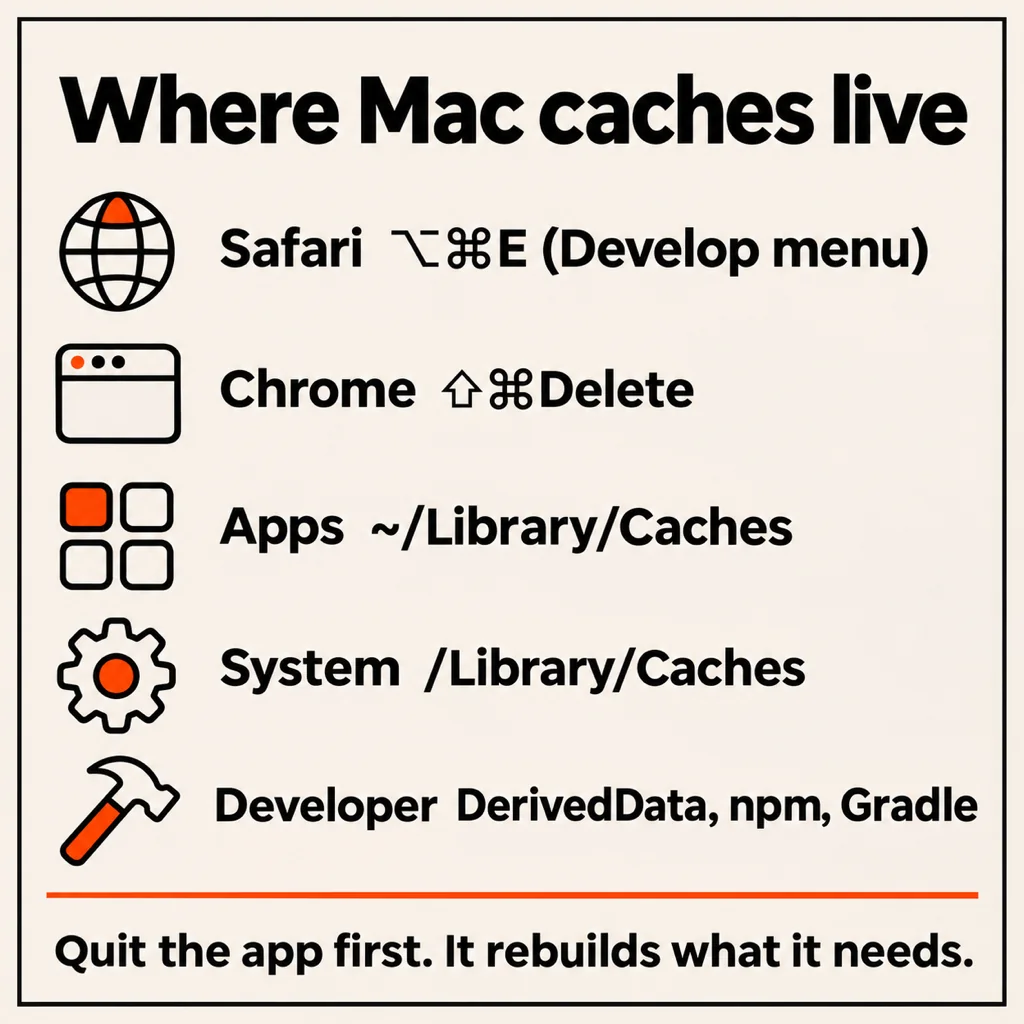
To clear the cache on a Mac, empty it in each place it lives. In Safari, turn on the Develop menu and choose Develop → Empty Caches (Option-Command-E). In Chrome, press Shift-Command-Delete and tick "Cached images and files". For apps, quit them, open Finder, press Shift-Command-G, go to ~/Library/Caches and delete what is inside the folders, not the Caches folder itself. Each step takes under a minute and is safe: a cache is a copy of something the app can rebuild.
The sections below go browser by browser, then apps, system and DNS caches, then the developer caches that are usually the biggest pile. If you came here because the disk is full, read the last part on why the space comes back.
How to clear cache on Mac Safari
Safari hides its cache button behind the developer menu. Turn it on once and it stays:
- Open Safari and choose Safari → Settings (Command-comma).
- Go to the Advanced tab and tick Show features for web developers (on older versions: "Show Develop menu in menu bar").
- Close Settings, then choose Develop → Empty Caches, or press Option-Command-E.
This removes cached pages and images but keeps your history, passwords and cookies, so you stay signed in. If a site still misbehaves, the problem is usually its cookies: go to Safari → Settings → Privacy → Manage Website Data, search for that one site and remove it, rather than clearing everything. Safari → Clear History is the heavier option: it deletes history, cookies and cache together and signs you out of most sites.
How to clear cache on Mac Chrome
- In Chrome, press Shift-Command-Delete (or open the three-dot menu → Delete browsing data).
- Set the time range. All time clears everything; Last hour is enough to fix a page that just broke.
- Tick only Cached images and files. Untick browsing history and cookies if you want to stay signed in.
- Click Delete data.
For a single broken site, a hard reload is quicker: Shift-Command-R reloads the page without its cache. Microsoft Edge, Brave and Arc are built on the same engine and use the same Shift-Command-Delete shortcut.
Firefox
Open Firefox → Settings → Privacy & Security, scroll to Cookies and Site Data, click Clear Data, tick only Temporary cached files and pages and confirm. Shift-Command-Delete opens the same dialog.
How to clear app cache on Mac
Every app you run keeps its own cache in your user Library. Slack, Spotify, Discord, Teams, Photoshop and most Electron apps write hundreds of megabytes each.
- Quit the app first (Command-Q, and check it is not still in the menu bar). Deleting files under a running app can crash it.
- In Finder, press Shift-Command-G, type
~/Library/Cachesand press Return. - Switch to list view (Command-2) and press Command-J → Calculate all sizes, so the biggest folders float to the top when you sort by size.
- Open the folder of the app you want to clean (named like
com.spotify.clientorGoogle), select its contents and move them to the Trash. Leave the folder itself. - Empty the Trash, then reopen the app. The first launch is a little slower while it rebuilds.
Some apps keep a second cache under ~/Library/Application Support/<app>/Cache (Slack, Discord, VS Code and other Electron apps keep Cache, Code Cache and GPUCache folders there). Slack has its own button too: Help → Troubleshooting → Clear Cache and Restart. Never empty folders in Application Support that are not named Cache: they hold settings and data, not copies.
How to clear system cache on Mac
/Library/Caches (no tilde, the one at the top of the disk) belongs to macOS and to every user on the Mac. It is rarely large, it needs an administrator password, and macOS cleans it itself. The safe way to clear it is to restart the Mac: shutdown and boot purge temporary files and swap. Starting in safe mode once (on Apple silicon, hold the power button, pick the disk, then hold Shift and choose Continue in Safe Mode) also clears some system caches, and fixes most "my Mac got slow after an update" cases.
Leave /System and /private/var alone. Nothing in there is worth the risk, and on current macOS most of it is read-only anyway.
DNS cache
If one website will not load on your Mac but works on your phone, flush the DNS cache. Open Terminal and run sudo dscacheutil -flushcache; sudo killall -HUP mDNSResponder, then type your password. Nothing is printed when it works.
Developer caches: usually the biggest pile
If you write code, the browser and app caches are small change. Xcode's DerivedData and simulators, npm, Yarn, Gradle, CocoaPods, Homebrew and Docker caches often reach 20 to 80 GB together. Each tool has its own clean command (npm cache clean --force, brew cleanup, xcrun simctl delete unavailable, docker system prune), and our guide to clearing System Data on a Mac covers the rest, including Time Machine snapshots and old iPhone backups.
Or let an app find them for you. TidyDisk is our free, open-source Mac cleaner (MIT licence, macOS 14 or later). It lists only what exists on your Mac and sorts it into three tiers. Safe covers Gradle, Xcode, CocoaPods, npm, Yarn, Swift and Homebrew caches, app-updater leftovers, the Trash and old crash reports. Aggressive covers Chrome, Slack, VS Code, JetBrains and Electron app caches, iOS DeviceSupport, unused simulators and Docker. Nuclear is node_modules across all your projects. Only the safe tier is ticked by default, and you see the size of each item before anything is deleted. It does not touch Safari, so use the Develop menu for that.
Is it safe to clear cache on a Mac?
Yes, for anything in a folder named Cache or Caches, as long as the app is closed. The cost is speed, not data: pages load more slowly once, apps rebuild thumbnails and indexes, and Xcode does a full build the next time. Three things to keep in mind:
- Cookies are not cache. Clearing them signs you out. Tick only the cache option if you want to stay signed in.
- Do not delete the Caches folder itself, only what is inside it.
- Cache comes back. Clearing it frees space today, and apps refill it within days or weeks. Doing it every week is pointless; once a month, or when something breaks, is plenty.
Why your Mac storage fills up again
If you cleared every cache and the storage bar barely moved, caches were not the problem. The usual suspects are local Time Machine snapshots, iPhone backups, Photos and Messages attachments, downloads you forgot, and developer folders. Our guide to freeing up disk space on a Mac goes through them in order of size.
Common questions
How do I clear my cache on a MacBook Air or MacBook Pro?
Exactly the same way as on any Mac: Develop → Empty Caches in Safari, Shift-Command-Delete in Chrome, and ~/Library/Caches for apps. The steps depend on the macOS version and the browser, not on the model.
What is the shortcut to clear cache on a Mac?
Option-Command-E in Safari (with the Develop menu turned on) and Shift-Command-Delete in Chrome, Edge, Brave and Firefox. Shift-Command-R reloads a single page without its cache.
Does clearing cache delete passwords?
No. Passwords live in your keychain or the browser's password manager, not the cache. Clearing cookies will sign you out of websites, but your saved passwords fill straight back in.
How do I clear RAM cache on a Mac?
Restart the Mac. You can also run sudo purge in Terminal, but macOS manages memory on its own and the effect lasts minutes. Activity Monitor → Memory shows whether memory pressure is really high.
What is a good app to clear cache on a Mac?
For developer and app caches, TidyDisk is free and open source, shows sizes before it deletes anything, and keeps risky items behind a warning. CleanMyMac is the best-known paid option. For browser cache, the browser's own button is all you need.
From the studio
Previous Article
21 Day Fitness Challenge for Women: The No-Gym Plan and Daily Checklist
Next Article
IA pour répondre aux messages : WhatsApp, SMS, Instagram et Tinder