How to Free Up Disk Space on a Mac (What's Actually Safe to Delete)
Where the gigabytes really hide on a Mac — System Data, Xcode caches, node_modules, old simulators — and how to clear them without breaking anything.
Every Mac owner eventually meets the same dialog: "Your disk is almost full." You empty the Trash, delete a few screen recordings, and buy yourself a week. Meanwhile the real culprits — tens of gigabytes of caches and build artifacts — sit untouched, because macOS files most of them under the world's least helpful label: System Data.
Here's where the space actually goes, what's safe to delete, and how to keep it from creeping back.
First, see what you're dealing with
Open System Settings → General → Storage. The coloured bar gives you a rough breakdown, but the category to squint at is System Data. On a developer's machine it's routinely 50–150 GB, and Apple's storage pane will neither explain it nor let you clean it. That's the pile the rest of this article is about.
The usual suspects, in order of payoff
1. Xcode's DerivedData and old device support
If you've ever installed Xcode, start here. ~/Library/Developer/Xcode/DerivedData holds intermediate build products for every project you've opened — it is safe to delete wholesale, and Xcode simply rebuilds what it needs. iOS DeviceSupport folders for phones you no longer own, and old simulator runtimes, are often another 10–40 GB. Unused simulators can be removed with xcrun simctl delete unavailable.
2. node_modules graveyards
Every JavaScript project you cloned, tried for an afternoon and forgot still has a node_modules folder — commonly 200 MB to over 1 GB each. The project still builds after deleting it; npm install recreates it. The hard part is remembering where those forgotten projects live.
3. Package-manager and build caches
npm, CocoaPods, Gradle, Homebrew and Docker all keep their own caches, and none of them clean up after themselves:
npm cache clean --forceandyarn cache cleanpod cache clean --all, plus~/.gradle/cachesfor Android workbrew cleanup --prune=allfor old bottle downloadsdocker system prune— dangling images alone are often 10+ GB
4. Large forgotten files
Old disk images, exported videos, downloaded installers. Two or three 4 GB files you'll never open again are hiding in Downloads right now.
What NOT to delete
- Anything in /System or /Library you don't recognise. macOS protects most of it, but "I found a cleanup script on a forum" is how Macs end up at the Genius Bar.
- ~/Library/Application Support wholesale. App data and caches are mixed together in there; deleting blindly logs you out of things and loses local data.
- Time Machine local snapshots by hand. macOS purges them automatically under disk pressure; forcing it rarely ends well.
The lazy (smart) way: let a tool find it
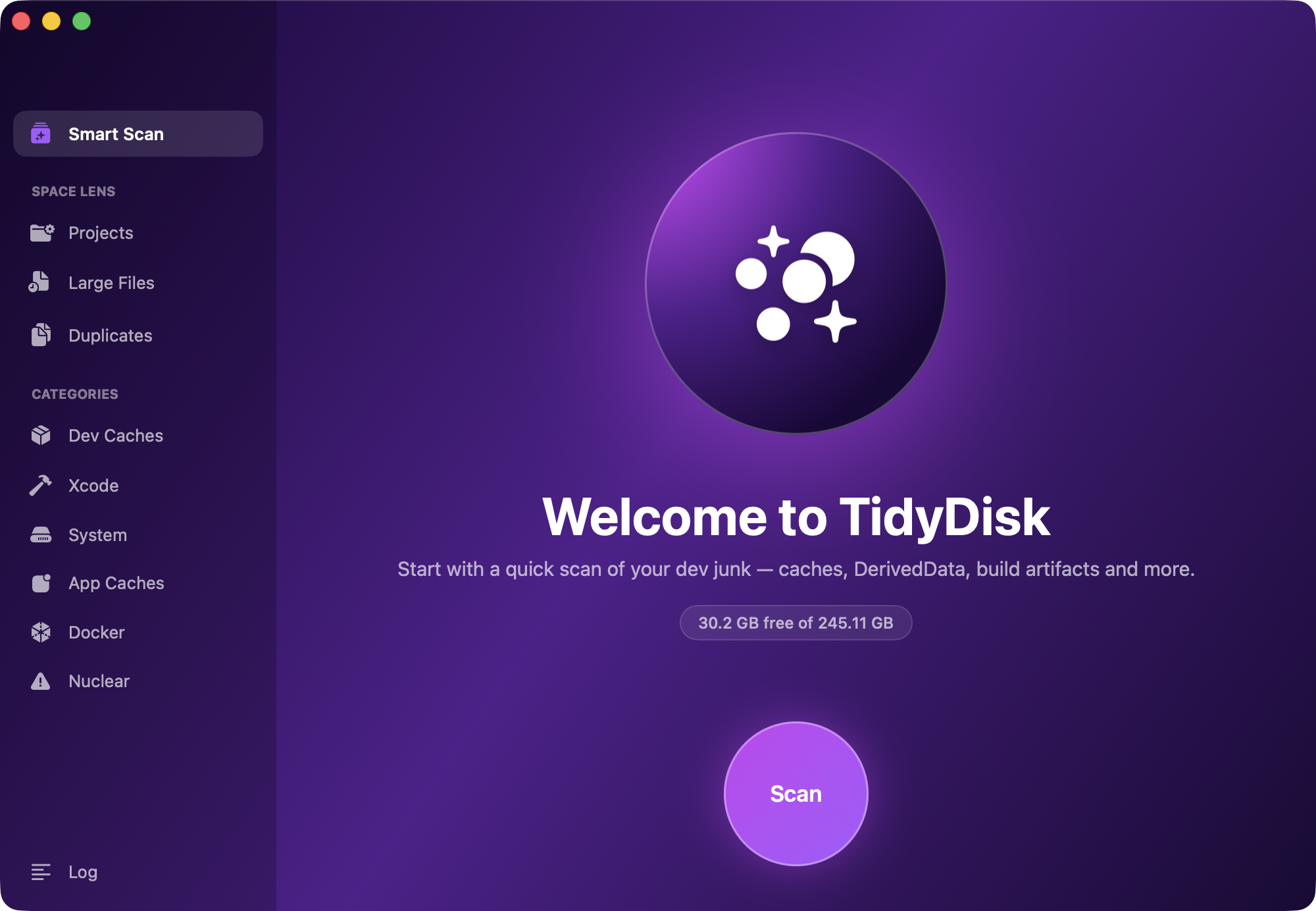
Everything above is findable by hand if you enjoy spelunking through ~/Library with du -sh. We didn't, which is why we built TidyDisk — a free, open-source (MIT) Mac app that does the hunting for you:
- Smart Scan finds Xcode, npm, CocoaPods, Gradle, Docker and Homebrew junk in one pass.
- Space Lens shows which of your projects are hoarding build artifacts, so the forgotten-side-project problem solves itself.
- Three safety tiers — caches that are always safe, items that cost a rebuild, and anything risky behind an explicit warning. Nothing is deleted silently.
- It's native SwiftUI, runs entirely on-device, and puts a live free-space readout in your menu bar.
Install it from the TidyDisk page, with Homebrew (brew install --cask prateekcode/tap/tidydisk), or grab the source on GitHub — it's a genuinely free tool from our studio, not a trial.
Keeping it clean
Disk junk is a flow, not a stock: every build, install and docker pull adds to it. A monthly sweep — DerivedData, dead node_modules, package caches, Docker — keeps a developer Mac tens of gigabytes lighter with about five minutes of effort. Or put TidyDisk in the menu bar and let the free-space number tell you when it's time.
From the studio
Previous Article
How to Sign a PDF on Android Without Printing (Free)
Next Article
What Is an Indie App Studio? Inside How We Ship 36 Apps