How to Make Phone Vibrate Continuously (Android)
Three ways to make an Android phone vibrate non-stop: a vibrate-only alarm, longer call vibration, or a vibration app with patterns, speed and a timer.
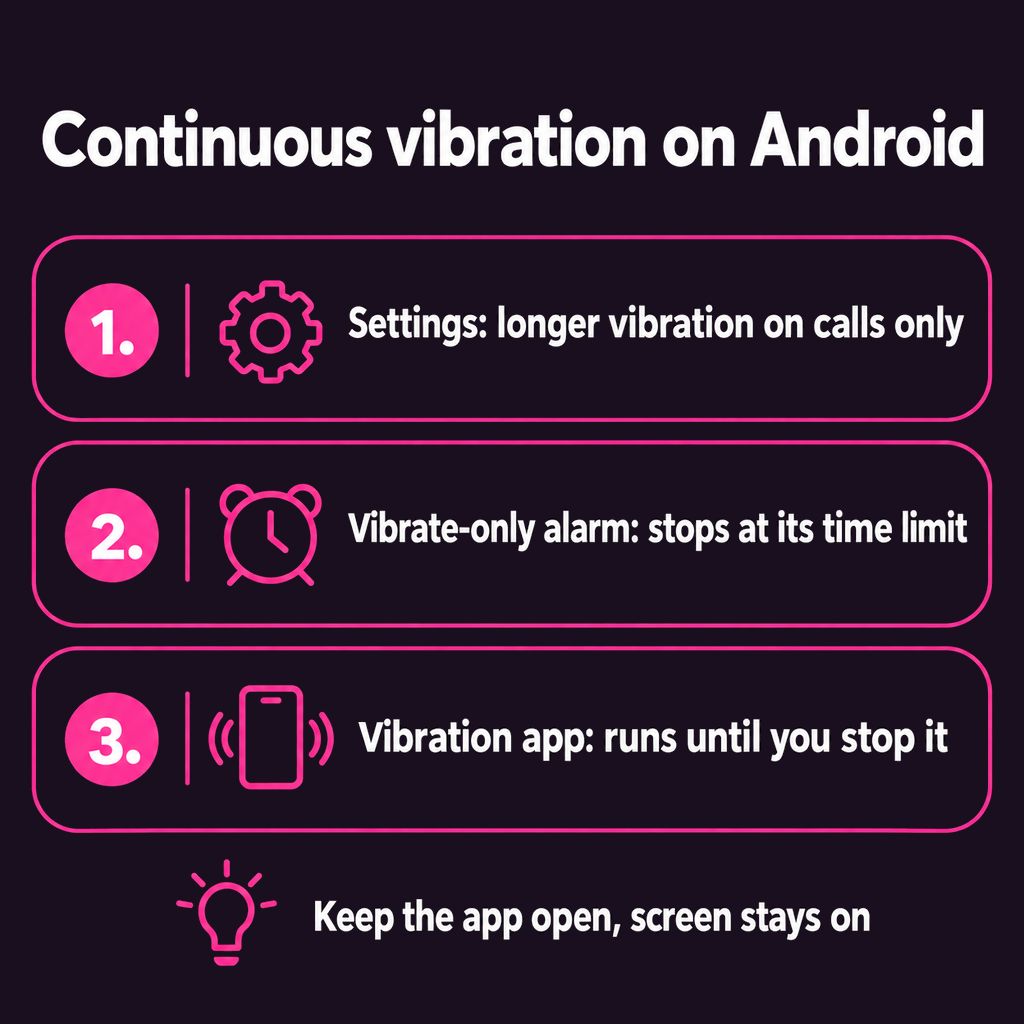
To make a phone vibrate continuously on Android, use a vibration app that loops a pattern until you press stop. Android's own settings can only vibrate for a call, a notification or an alarm, and each of those stops on its own. The closest you get without an app is a vibrate-only alarm, which buzzes until you dismiss it or until its time limit runs out.
People want this for different reasons: a gentle buzz against tense shoulders, a rhythm to breathe along with, a fidget for restless hands, or to check that the motor still works. Here are the three ways to do it, from built-in to best.
1. A vibrate-only alarm (no app needed)
Every Android phone's Clock app can do this:
- Open Clock and create an alarm for one minute from now.
- Set the alarm sound to Silent (or "None") and turn Vibrate on.
- In the Clock app's settings, find Silence after and choose the longest option. On Google's Clock app it can be set to Never.
When it goes off, the phone vibrates until you dismiss it. The limits: it is one fixed buzz pattern at one strength, you cannot change the rhythm, and you have to set a new alarm every time.
2. Longer vibration for calls
Samsung phones let you build your own vibration pattern under Settings → Sounds and vibration → Call vibration pattern → Create, where you tap and hold to record a long buzz. Pixels offer a few patterns under Sound & vibration → Vibration & haptics. These only play when someone calls, so they are useful for noticing calls, not for vibration on demand.
3. A vibration app (continuous, until you stop it)
An app is the only way to get vibration that runs as long as you like, with a choice of rhythm. Vibrator: Massage & Relax is ours, and it works like this:
- Pick a pattern. There are 21, from soft swells (Calm, Breathe) to steady pulses and deep kneading rhythms (Knead, Roller, Rush). Each one loops seamlessly.
- Set the speed from a slow 0.5x up to 4x.
- Choose a session length. 5, 10, 15 or 30 minutes, after which the vibration fades out on its own, or Continuous to run until you stop it.
- Add a sound if you like: ocean waves, soft rain, brown noise, a fireplace and more.
- Press play. The screen stays on while it runs, and a glowing orb pulses in time with the motor.
What is free: three patterns (Pulse, Calm and Breathe), speeds up to 1x, two soundscapes (Calm Waves and Brown Noise) and the 5-minute timer. A single one-time purchase unlocks all 21 patterns, every speed, every soundscape and the longer and Continuous timers. There is no subscription and there are no ads.
One thing to know: vibration stops when you leave the app or lock the phone. That is deliberate, so a phone in a bag never buzzes away its battery, but it means the app has to stay open.
Will continuous vibration damage my phone?
Not in normal use. The vibration motor is built to run for long stretches; it is the same part that buzzes through a full minute of ringing several times a day. It does use battery, roughly comparable to keeping the screen on, so a 30-minute session on a full charge is no concern. If the phone gets noticeably warm, give it a break. A pattern with pauses (most of them have some) is easier on the motor and the battery than a flat, unbroken buzz.
Why is my phone's vibration so weak?
The strength comes from the motor, not the app, and motors vary a lot between models. Some phones also cap vibration intensity in settings. See how to make phone vibration stronger for the settings to check, and run a phone vibration test if it has suddenly become weaker than it used to be.
Common questions
How do I make my phone vibrate continuously without an app?
Set an alarm with the sound on Silent and vibration on, then set the Clock app's "Silence after" option to its longest value. It will vibrate until you dismiss it, but only in one fixed pattern.
Can I make my phone vibrate continuously in the background?
Most vibration apps, including ours, stop when you leave the app or lock the screen. Keep the app open while it runs; the screen stays awake on its own during a session.
Can an iPhone vibrate continuously?
iPhones cannot loop vibration without an app, and Apple limits what apps can do with the motor. Our app is on Android only for now.
Does continuous vibration drain the battery?
Yes, a little. Expect roughly what the screen alone would use over the same time. A short session is no concern.
The short version
Without an app, a silent vibrate-only alarm is the best you can do. For vibration that runs as long as you want, in a rhythm you choose, use an app. Vibrator: Massage & Relax has 21 patterns, a speed dial and an auto-stop timer, and it works offline with no account.