
Phone Vibration Test: Check If Your Vibration Motor Works
Test your phone vibration in under a minute: dial codes for Samsung and other Android phones, a settings check, and what a weak or rattling motor means.
To run a phone vibration test, first check that vibration is switched on in settings, then trigger the motor directly: on Samsung, dial *#0*# and tap Vibration; on many other Android phones, *#*#0842#*#* opens a vibration test. If your phone has no test code, a vibration app that loops a pattern does the same job. A healthy motor gives a clean, even buzz; a weak, intermittent or rattling one means something is wrong.
Step 1: rule out the settings
Most "my phone stopped vibrating" cases are settings, not hardware:
- Vibration is off or at zero. Samsung: Settings → Sounds and vibration → Vibration intensity. Pixel and others: Settings → Sound & vibration → Vibration & haptics. Check each slider, not just one.
- Do Not Disturb or a Mode is on. These can mute vibration for calls and notifications.
- Battery saver is on. Some phones reduce haptics in power-saving mode.
- The app's own notification settings. If only one app (WhatsApp, say) does not vibrate, the problem is in that app's notification channel, not the motor.
Step 2: trigger the motor directly
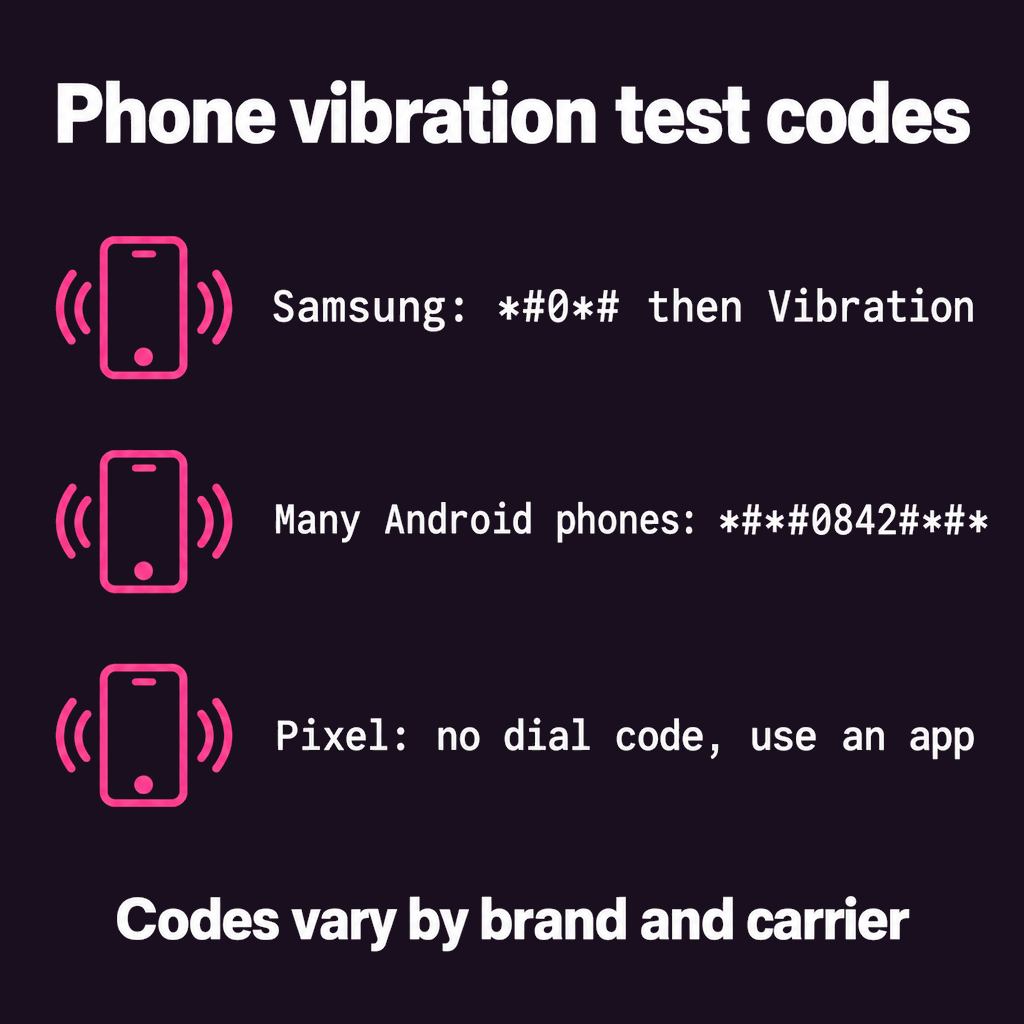
- Samsung Galaxy: open the Phone app and dial *#0*#. A hardware test menu opens; tap Vibration. The phone buzzes continuously until you tap the screen or press Back. Some carrier models block this menu.
- Many other Android phones: dial *#*#0842#*#*, which opens a vibration and backlight test on phones whose maker kept it. Not every brand does.
- Xiaomi, Redmi and POCO: Settings → About phone → All specs, tap Kernel version five times to open the hardware test (CIT) menu, which includes vibration.
- Pixel: there is no standard vibration dial code. Moving an intensity slider in Vibration & haptics plays a short sample; for a longer test, use an app.
Dial codes are entered in the phone dialer, not sent as a call, and they do not change anything on the phone. Still, stick to the test menu and back out when you are done; these menus contain other diagnostics you do not need to touch.
Step 3: a longer test with an app
A one-second buzz can hide a fault that shows up after a minute. A vibration app runs the motor as long as you like, at different strengths. In Vibrator: Massage & Relax (free to try):
- Pick Pulse, a sharp on-off rhythm at full strength.
- Press play and hold the phone loosely. The buzz should be even, with each pulse the same as the last.
- Switch to Calm. It swells from soft to strong and back. On phones with a linear motor you should feel the strength rise and fall smoothly; on phones with a spinning motor it will feel more like steady pulses, which is normal.
What the results mean
- Nothing at all, even in the test menu: the motor or its connection has failed. This is a repair-shop job; it is usually an inexpensive part.
- Rattling or buzzing noise: often a loose screw or a motor that has come unstuck from its bracket, common after a drop.
- Works in the test, not for calls: it is settings or Do Not Disturb. Go back to step 1.
- Weaker than it used to be: check the intensity slider and battery saver first; motors do slowly weaken with age.
- Only weak in a case: the case is absorbing it. Try without.
Can phone vibration get water out of the speaker?
This comes up constantly, so it is worth answering straight: no, the vibration motor does not push water out. "Water eject" tools work by playing a low tone through the speaker, whose moving cone shakes out droplets. A vibration test only tests the motor. If your phone got wet, dry it, keep it off charge until it is dry, and use a speaker-tone tool for the speaker grille.
Common questions
What is the vibration test code for Samsung?
Dial *#0*# in the Phone app and tap Vibration. Some carrier-locked Samsung phones disable this menu.
How do I test vibration on an iPhone?
Go to Settings → Sounds & Haptics, tap Ringtone, then Haptics, and tap a pattern to feel it. iPhones have no dial-code test menu.
Can I test phone vibration online?
Yes, on Android in Chrome: some websites trigger the vibration through the browser. iPhones do not let websites vibrate the phone.
Why does my phone vibrate on its own?
Usually a notification you missed, a stuck alarm, or an app with haptics. Check the notification shade and recent alarms before suspecting hardware.
The short version
Settings first, then a dial code (*#0*# on Samsung), then a longer run with an app. Even buzz means the motor is fine; nothing or a rattle means a repair. To make a healthy motor feel stronger, see how to make phone vibration stronger.
From the studio

Previous Article
Strongest Vibration App for Android (and How to Make Vibration Stronger)
Next Article
Vibration Massager vs Massage Gun: Which One Do You Need?